
TSRA Review Questions1.0 - Google Play
You'll be able to see results in few seconds.
Publisher Description


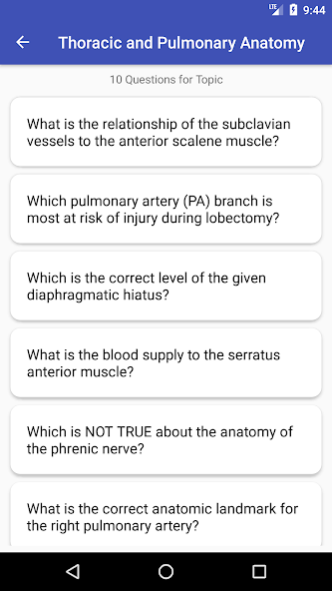
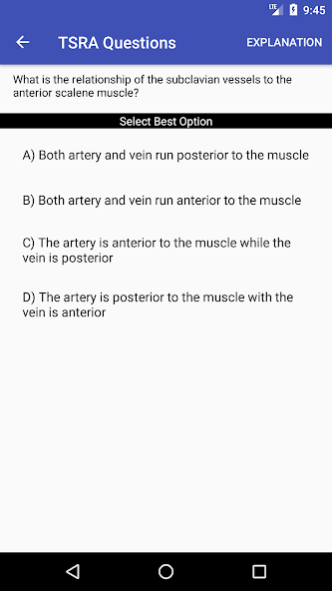
The Thoracic Surgery Residents Association (TSRA) is the organization that represents next generation of cardiothoracic surgeons. As such, the TSRA has assembled a catalog of educational materials for residents and fellows embarking on the arduous course of training. This app is the newest member of that catalog and allows the user to test their knowledge base by answering multiple choice questions in the major disciplines associated with thoracic surgery: adult cardiac surgery, congenital cardiac surgery, general thoracic surgery, and trauma and critical care. Each of the four disciplines is subdivided into important categories with approximately 10 questions per subject. The user selects the best answer and is immediately notified if their choice was correct. The notification contains the correct answer and, usually, an explanation for the correct answer and the incorrect options. Answered questions are stored on the device as either answered correctly or answered incorrectly, providing the user the opportunity to review their previous attempts. Questions can be reset to allow the user to repeat the questions as needed.
TSRA resources are provided as a basic guideline for the study of cardiothoracic surgery and should be used in conjunction with a variety of other educational references and resources. TSRA resources should not be construed as definitive study guides for either the TSDA In-Training Exam or the ABTS Certification Exam. TSRA makes no claims regarding the study guide’s value in preparing for, or its contribution toward performance on, either the TSDA In-Training Exam or the ABTS Certification Exam. TSRA resources are educational tools only, and any medical decisions should be after discussions with appropriate healthcare providers.
About TSRA Review Questions
The company that develops TSRA Review Questions is Thoracic Surgery Residents Association. The latest version released by its developer is 1.0.
To install TSRA Review Questions on your Android device, just click the green Continue To App button above to start the installation process. The app is listed on our website since 2018-04-06 and was downloaded 0 times. We have already checked if the download link is safe, however for your own protection we recommend that you scan the downloaded app with your antivirus. Your antivirus may detect the TSRA Review Questions as malware as malware if the download link to com.cvoffice.tsraquestions is broken.
How to install TSRA Review Questions on your Android device:
- Click on the Continue To App button on our website. This will redirect you to Google Play.
- Once the TSRA Review Questions is shown in the Google Play listing of your Android device, you can start its download and installation. Tap on the Install button located below the search bar and to the right of the app icon.
- A pop-up window with the permissions required by TSRA Review Questions will be shown. Click on Accept to continue the process.
- TSRA Review Questions will be downloaded onto your device, displaying a progress. Once the download completes, the installation will start and you'll get a notification after the installation is finished.
Program Details
System requirements
Download information
Pricing
Version History
version 1.0
posted on 2018-04-06
Disclaimer
Official Google Play Link
We do not host TSRA Review Questions on our servers. We did not scan it for viruses, adware, spyware or other type of malware. This app is hosted by Google and passed their terms and conditions to be listed there. We recommend caution when installing it.
The Google Play link for TSRA Review Questions is provided to you by apps112.com without any warranties, representations or guarantees of any kind, so access it at your own risk.
If you have questions regarding this particular app contact the publisher directly. For questions about the functionalities of apps112.com contact us.
